One sermon. A whole week of it.
Step 1
Record at church
Tap record when the sermon starts. It works offline, and recording is free. Or upload the audio afterwards.
Step 2
Get your notes
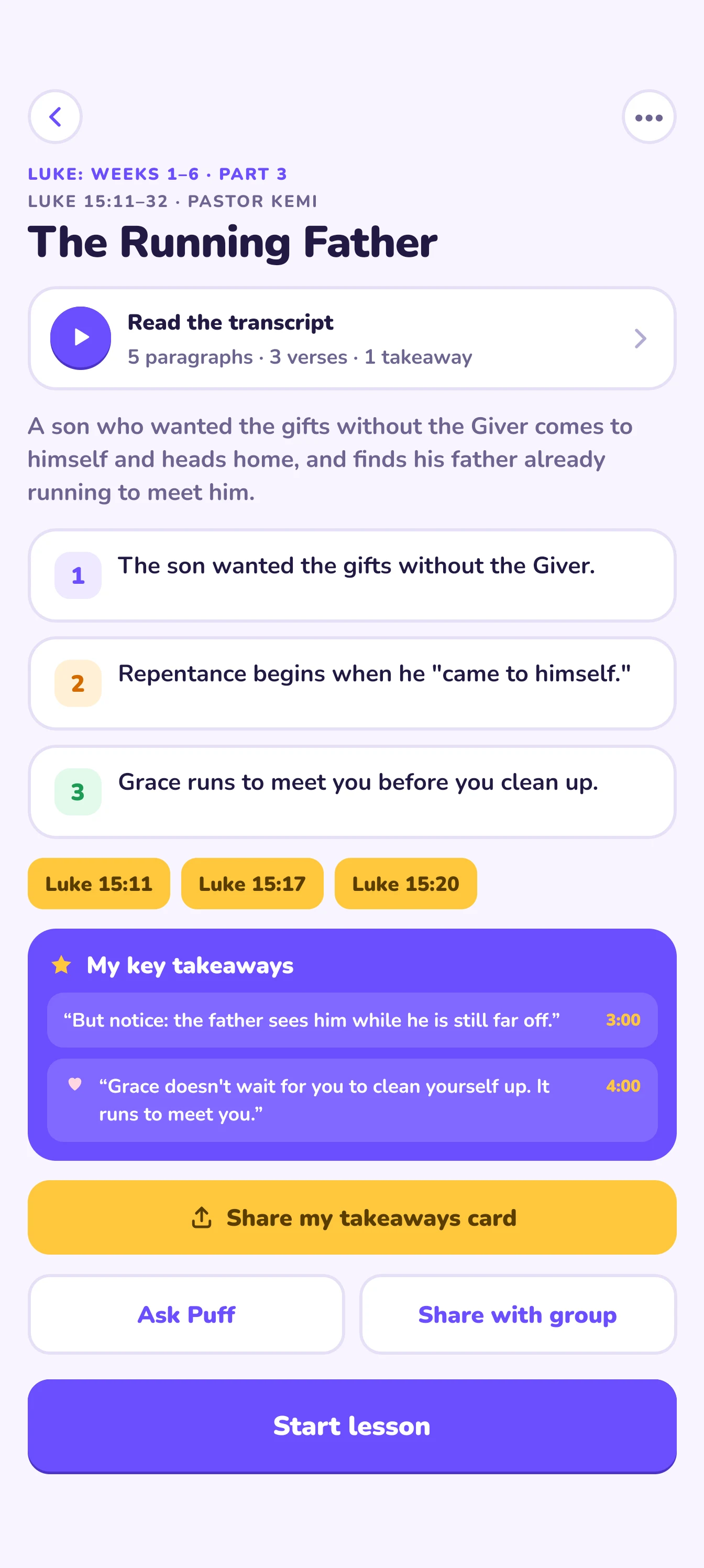
Smible writes a summary, three key points and every verse the preacher quoted, with the full transcript to read along.
Step 3
Six short lessons
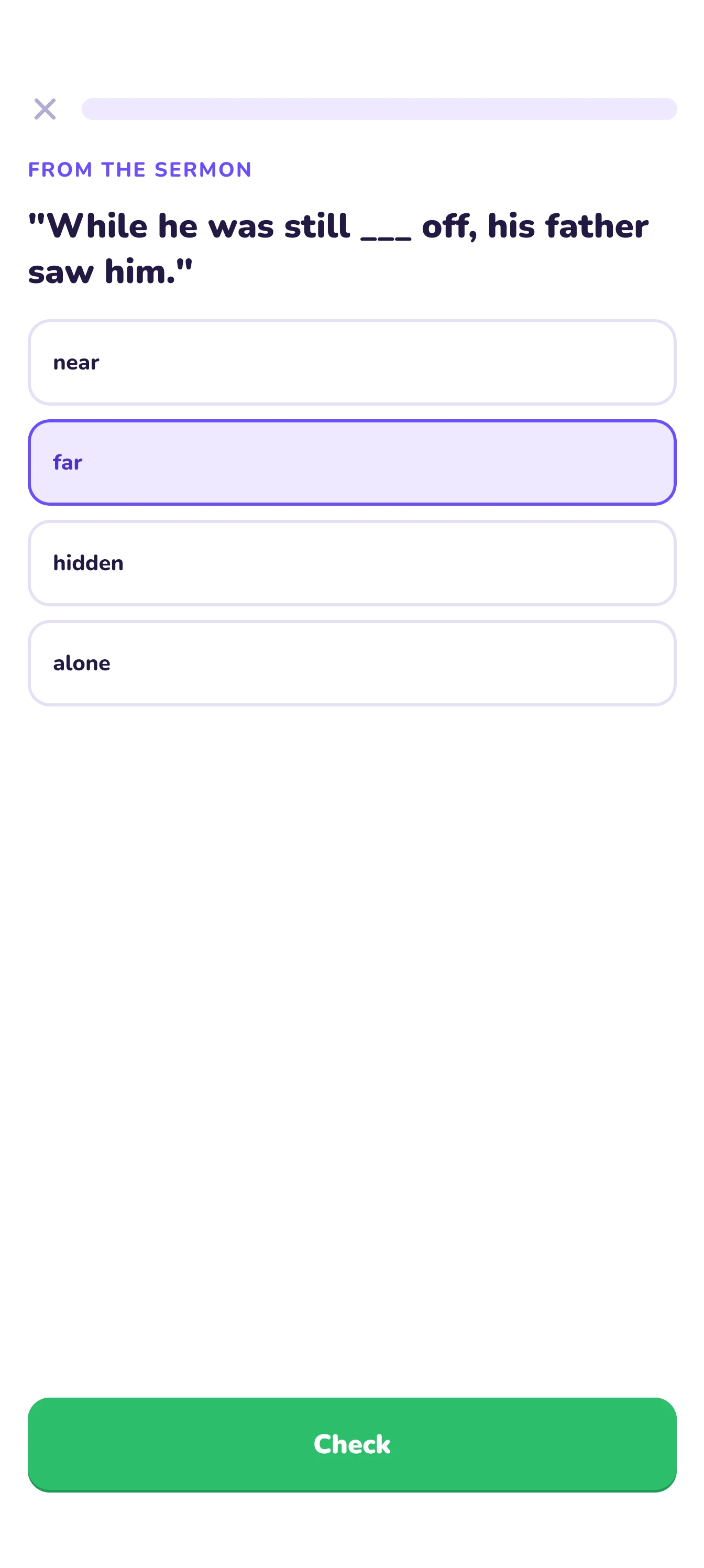
One lesson a day for six days, about three minutes each, built from the sermon you heard.
A closer look at the app
01 · Home
Your week at a glance
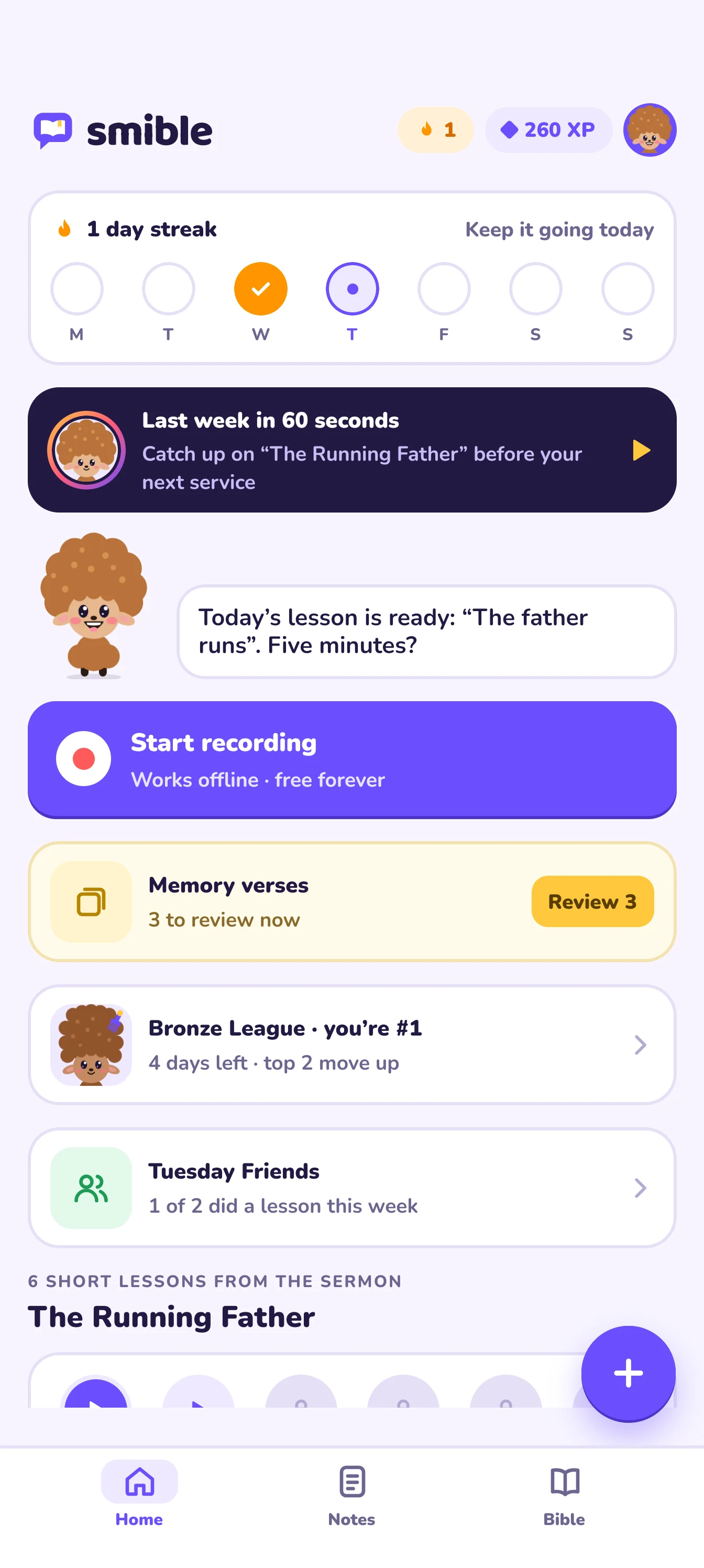
Your streak, last week’s sermon in 60 seconds, and one big button for your next service. Puff tells you what’s next.
- Last week’s sermon in 60 seconds
- Your streak and weekly league
- Record in one tap, even offline
02 · Notes
Notes you can search
Summary, key points, scripture and a full transcript. Highlight a line, save a key takeaway, search every sermon you’ve saved.
- A summary and three key points
- Every verse the preacher quoted
- Your key takeaways in one place
03 · Transcript
Read it back. Save the line.
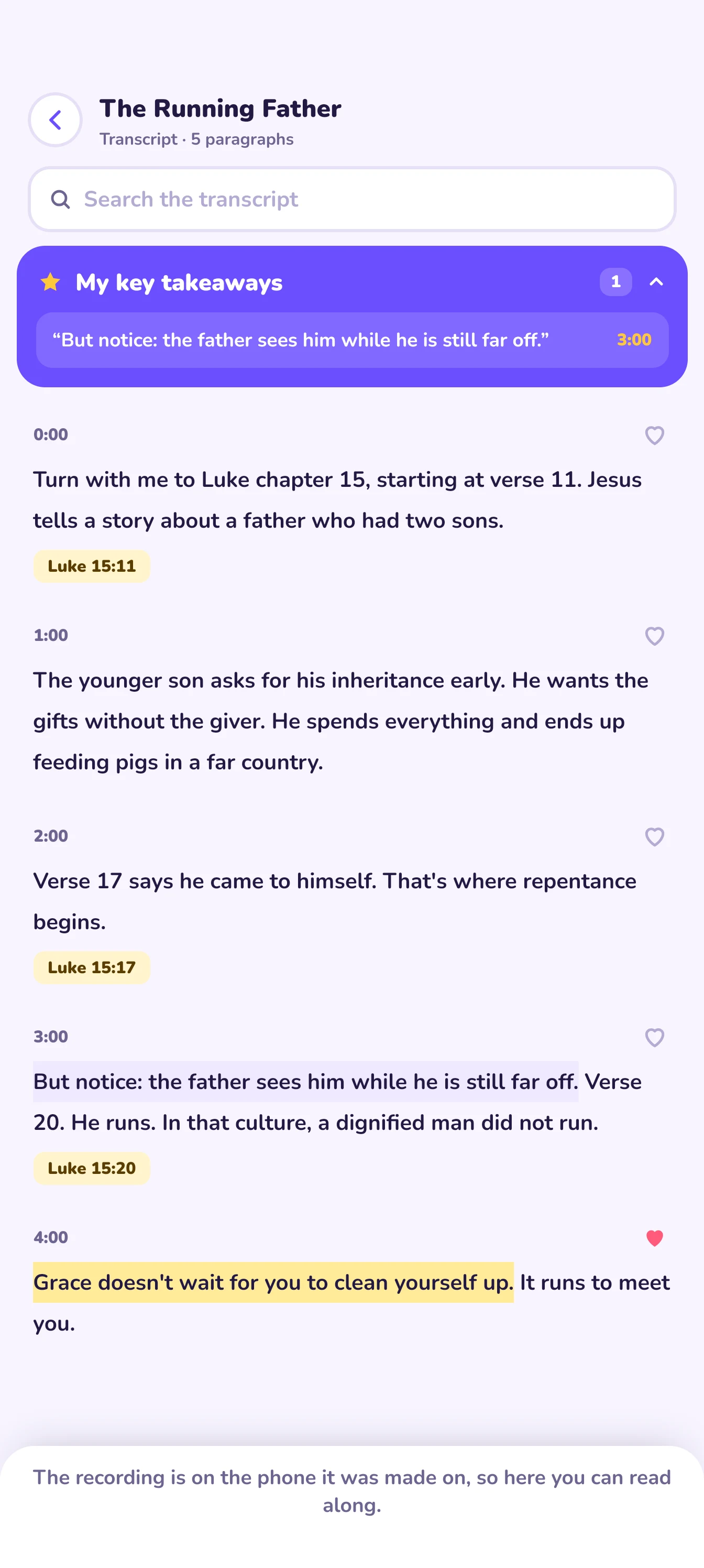
The whole sermon as text, with every verse tagged. Highlight in four colours and keep the sentences that spoke to you as key takeaways.
- Search the whole sermon
- Highlight in four colours
- Save the lines that spoke to you
04 · Lessons
Three minutes a day
Six lessons from the sermon, one a day. Fill the verse, put words in order, match ideas. Miss one and you get a kind explanation.
- Fill the verse, word order, matching
- One short lesson a day for six days
- A kind explanation when you miss
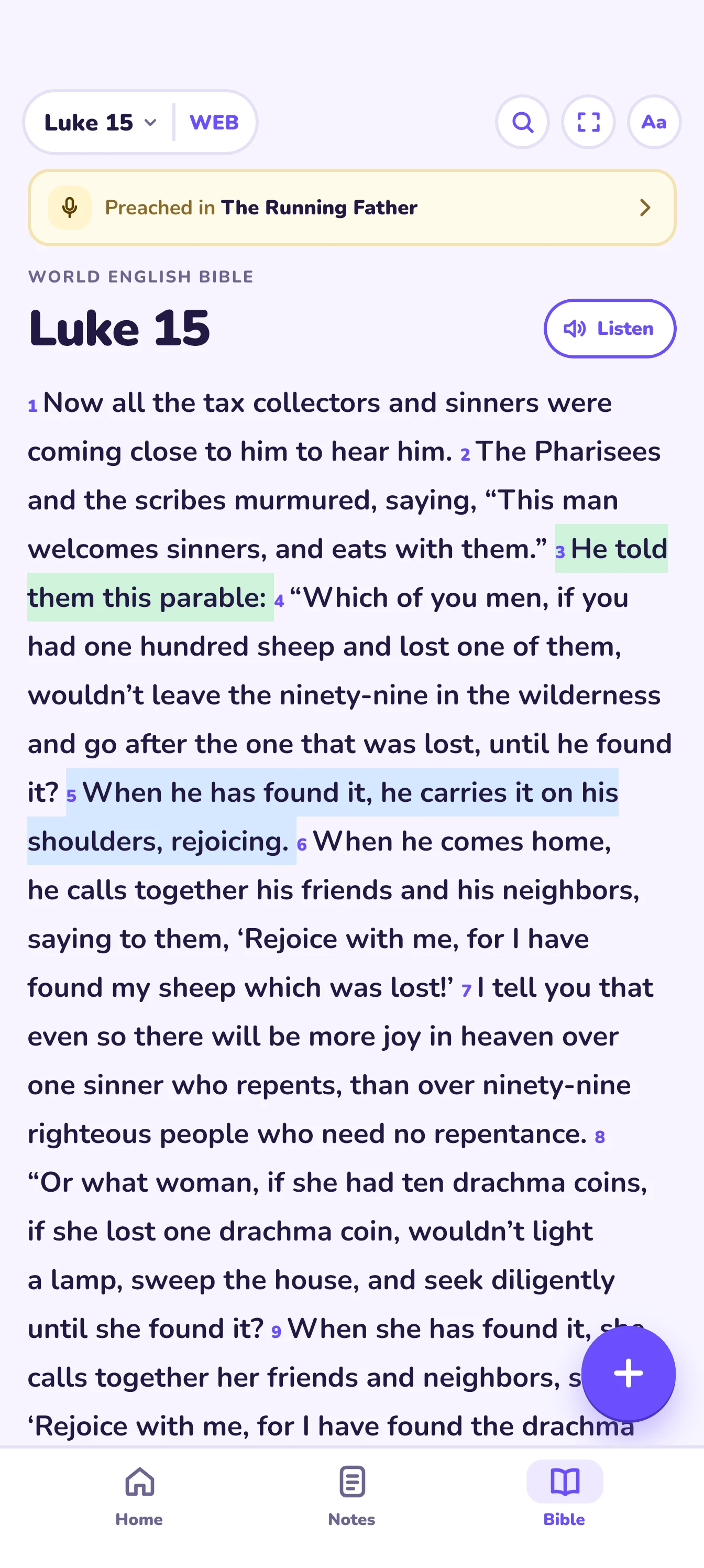
05 · Bible
A Bible that works offline
Three translations built in. Highlight a verse, listen to the chapter, or open focus mode to read one verse at a time and let it land.
- World English, King James and Basic English
- Listen to any chapter
- Focus mode: one verse at a time
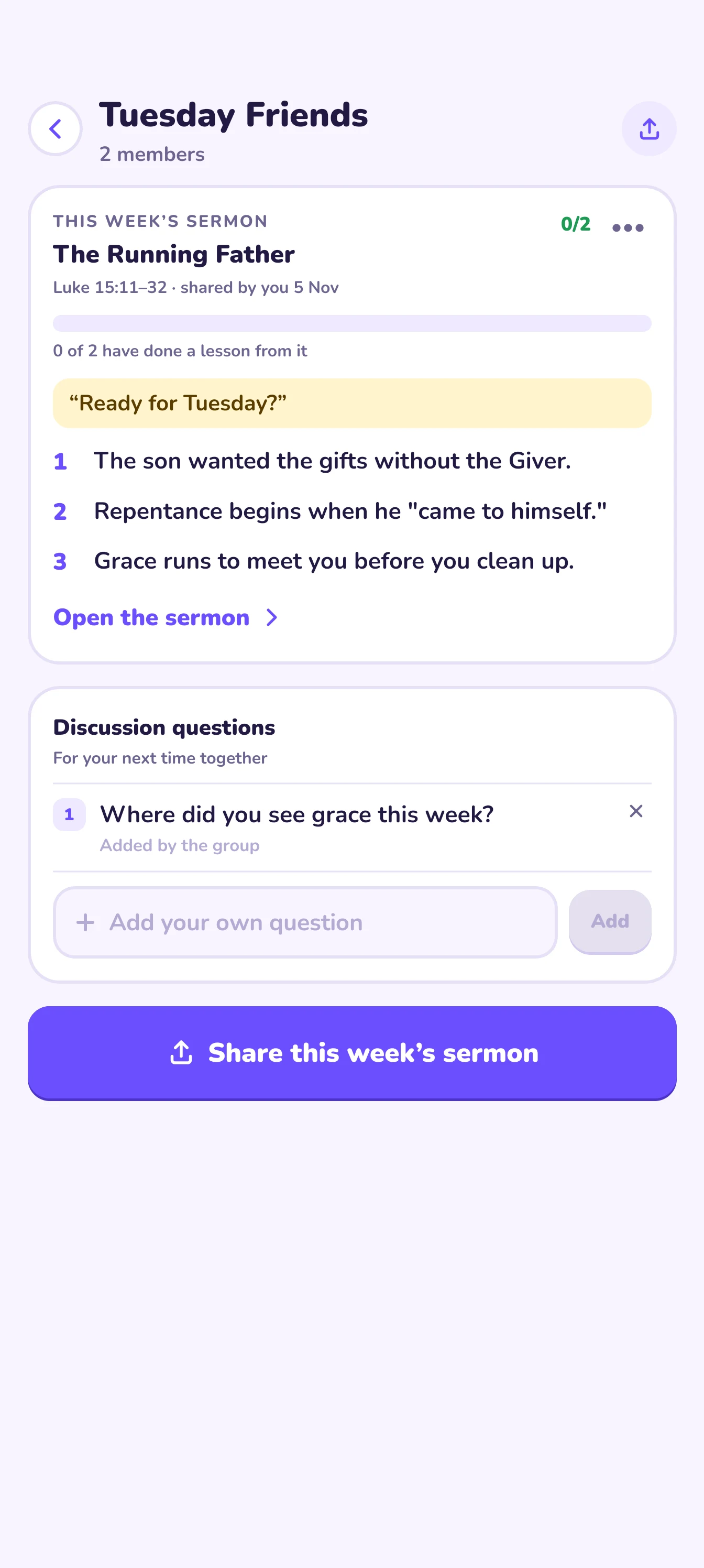
06 · Groups
Grow with your group
See who’s done this week’s lesson, nudge the rest, share prayer requests and pick discussion questions for your next meeting.
- See who’s done this week’s lesson
- Questions for your next meeting
- A prayer wall just for the group
Everything you need between services
Notes
Notes you can search
Summary, key points, scripture and a full transcript. Highlight a line, save a key takeaway, search every sermon you’ve saved.
Lessons
Lessons that stick
Multiple choice, fill the verse, word order and matching. Wrong answers get a kind explanation and come back for a second try.
Questions
Ask Puff
Ask a question about the sermon and Puff answers from what was actually preached.
Memory
Memory verses
Learn the week’s verse with spaced review, so it’s still there next month.
Your week
Streaks and leagues
Keep a daily streak, earn XP and climb a weekly league. Streak freezes are earned with XP, never bought.
Also in Smible
- A private journal
- Write or talk through what you heard, with a gentle prompt from Puff. Only you can read it.
- Groups, friends and prayer
- See who’s done this week’s lesson, nudge a friend, share prayer requests and discussion questions.
- Reading plans
- No sermon this week? Read through Luke, the Sermon on the Mount or the Psalms with a lesson each day.
- Family mode
- Child profiles with Bitsy: a picture story from the sermon, a two-choice quiz and a sticker. No social features for kids.
For churches
Publish each sermon once. Everyone who picks your church gets the notes and six daily lessons, free.
Upload the recording on the church dashboard, review and edit the summary, key points and lessons, then publish or schedule it.
Free
- Publish sermons for your members
- Invite your team: pastors and editors
- See who’s following along
- Invite QR code and a slide for the screen
- A monthly upload allowance
Pro
- Insights and CSV export
- Sermon series
- Connect your church’s YouTube channel
- Unlimited uploads
- Your church’s branding on share cards
Plans and prices are on the dashboard. Published sermons are free for your members.
Private by design, not by setting
Only you can read your journal
It stays on your phone, unless you turn on a backup that’s locked with a passphrase only you know. We never see what you write.
Transcribed on your iPhone
On iPhones with iOS 26 or later, the sermon is turned into text on the phone itself.
Recordings are saved on your phone
If audio has to go to a server to be transcribed, we delete it straight after.
No ads. No tracking.
No ad networks and no tracking. AI only reads your sermon after you say yes.
Questions
Is Smible free?
Yes. Recording, notes, the Bible, daily lessons and streaks are free. Smible Plus adds podcast and audio file imports and family mode. You’ll see the price in the app before you subscribe.
Does my church need to be on Smible?
No. You can record any sermon yourself. If your church publishes on Smible, its sermons arrive as notes and lessons without you recording anything.
What happens to my recording?
Recordings are saved on your phone. On iPhones with iOS 26 or later, Smible transcribes them on the phone. On Android and older iPhones, or when the on-phone text isn’t clear enough, the audio goes to our transcription provider and is deleted straight after. Notes and lessons are written by our AI partner, and only after you agree.
Do I need an account?
No. You can record, read and learn without signing up. Sign in with Apple, Google or email when you want to sync, join a group or follow your church.
Which Bible translations are included?
The World English Bible, the King James Version and the Bible in Basic English are built in and work offline.
Can my children use it?
Through family mode (part of Plus), a parent adds child profiles. Kids get a picture story, a two-choice quiz and a sticker from each sermon, with no social features and no account of their own.
Try it this week.
Smible is for iPhone and Android. Recording, notes and lessons are free.
- Records offline
- Six lessons a sermon
- No ads, no tracking
Coming soon to the App Store and Google Play.
Wednesday 4 November
The Running Father
Luke 15:11–32 · Pastor Kemi